Make Your Venmo Private in 30 Seconds (Before Your Mom Sees Everything)
Imagine if your bank published a social feed showing who you paid, when, and why.
Sam paid Alex
🚗 Ride to the clinic 🏥
Pat paid Chris
🤨 questionable decisions 💸
It sounds ridiculous, but that’s exactly what Venmo does…by default.
If you’ve used Venmo, there’s a good chance that:
-
You didn’t realize your payment history is publicly visible
-
Your past payments are still viewable, even if you’ve changed your settings
-
You can see your friends’ payments, and they can see yours
What Does Venmo Share?
When you pay someone on Venmo, unless you’ve changed your privacy settings:
-
The payment note and recipient are visible to the public
-
The dollar amount is hidden, but context clues can reveal a lot
-
Anyone using Venmo can browse the public feed and make inferences about your social habits, spending behavior, and connections
Journalists have even used Venmo’s public feed to track high-profile figures, including members of Congress and the President’s family.
This Isn’t Just a Social Feature. It’s a Privacy Problem.
Venmo’s default setting makes your payment history public, often without you even realizing it. As a cybersecurity professional, I find that very concerning. And as a user who’s seen some hilarious (and occasionally cringe-worthy) transactions, I think we all deserve better control over what we share.
How to Make Your Venmo Private
Here’s how to lock down both your future and past Venmo activity:
1. Open the Venmo App
Make sure you’re logged in on your iPhone.
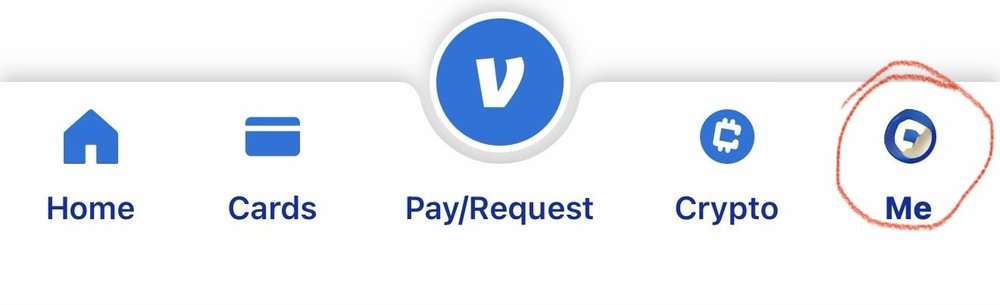
2. Tap the “Me” icon (lower right corner)
This opens your profile panel.
Venmo Profile icon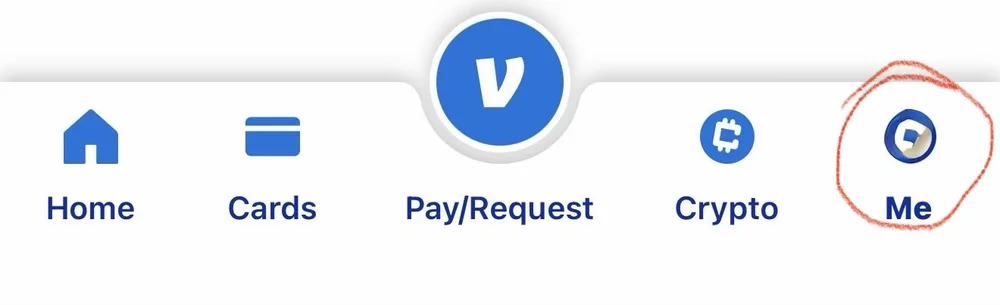
3. Select Settings (the gear in the upper right corner)
Venmo Settings icon
4. Tap Privacy
Venmo Settings: Showing Privacy as an option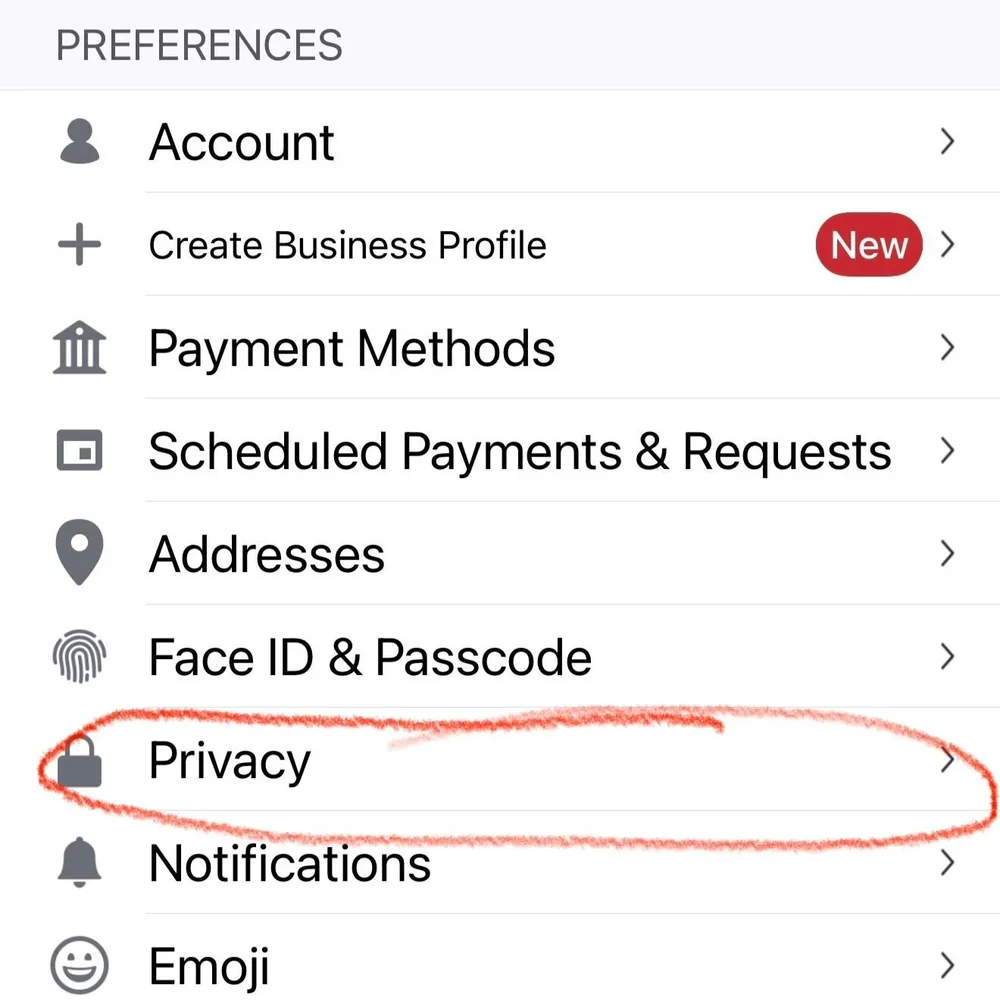
5. Set Your Default Privacy to “Private”
This will ensure that future payments are visible only to you and the recipient.
Venmo Privacy Settings: Shows Private as an option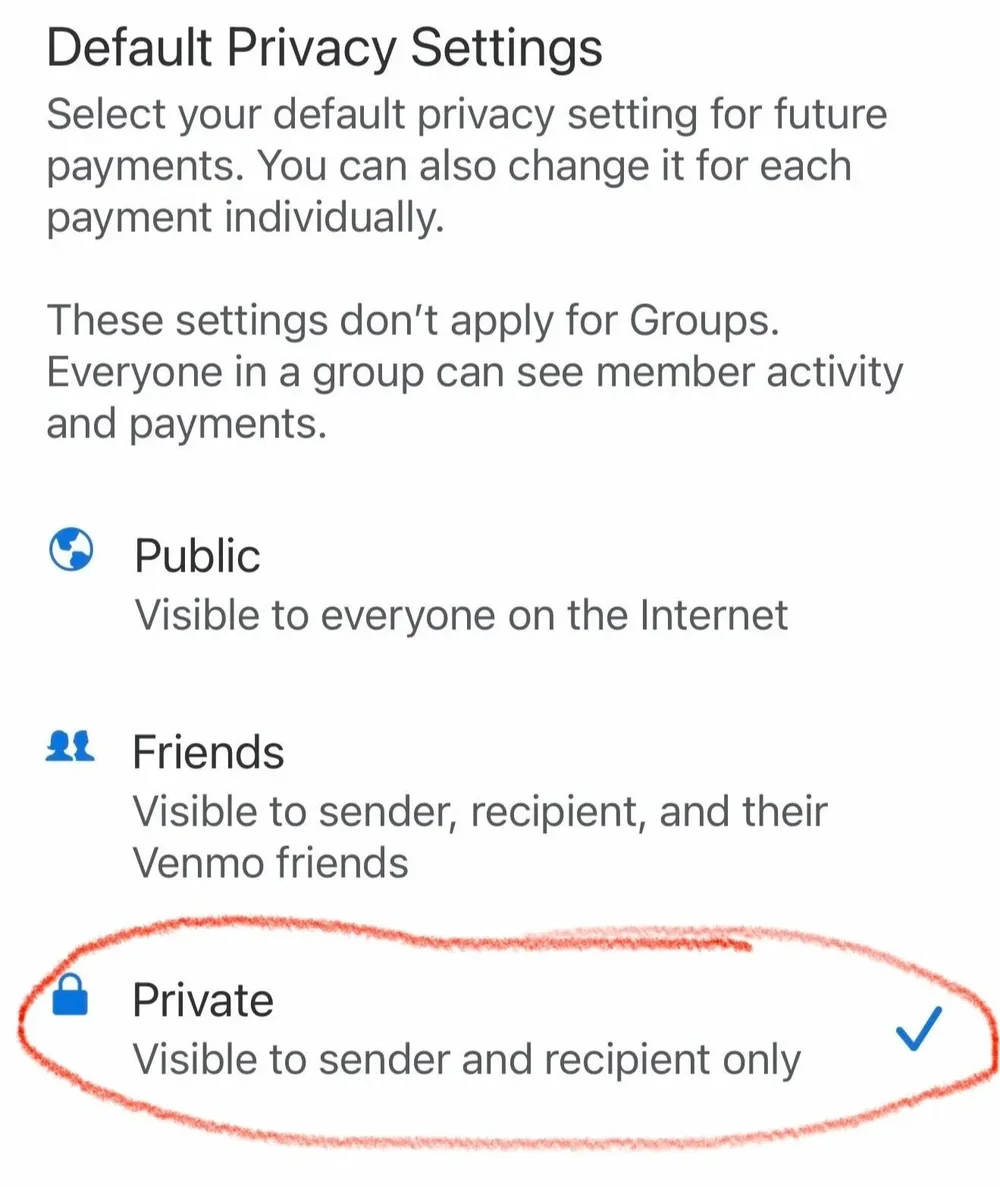
6. Change Past Transactions to Private
Scroll down and tap:
Past Transactions > Change All to Private
You’ll be prompted to confirm. Once you do, your entire payment history will be made private.
Venmo Change All Transactions to Private option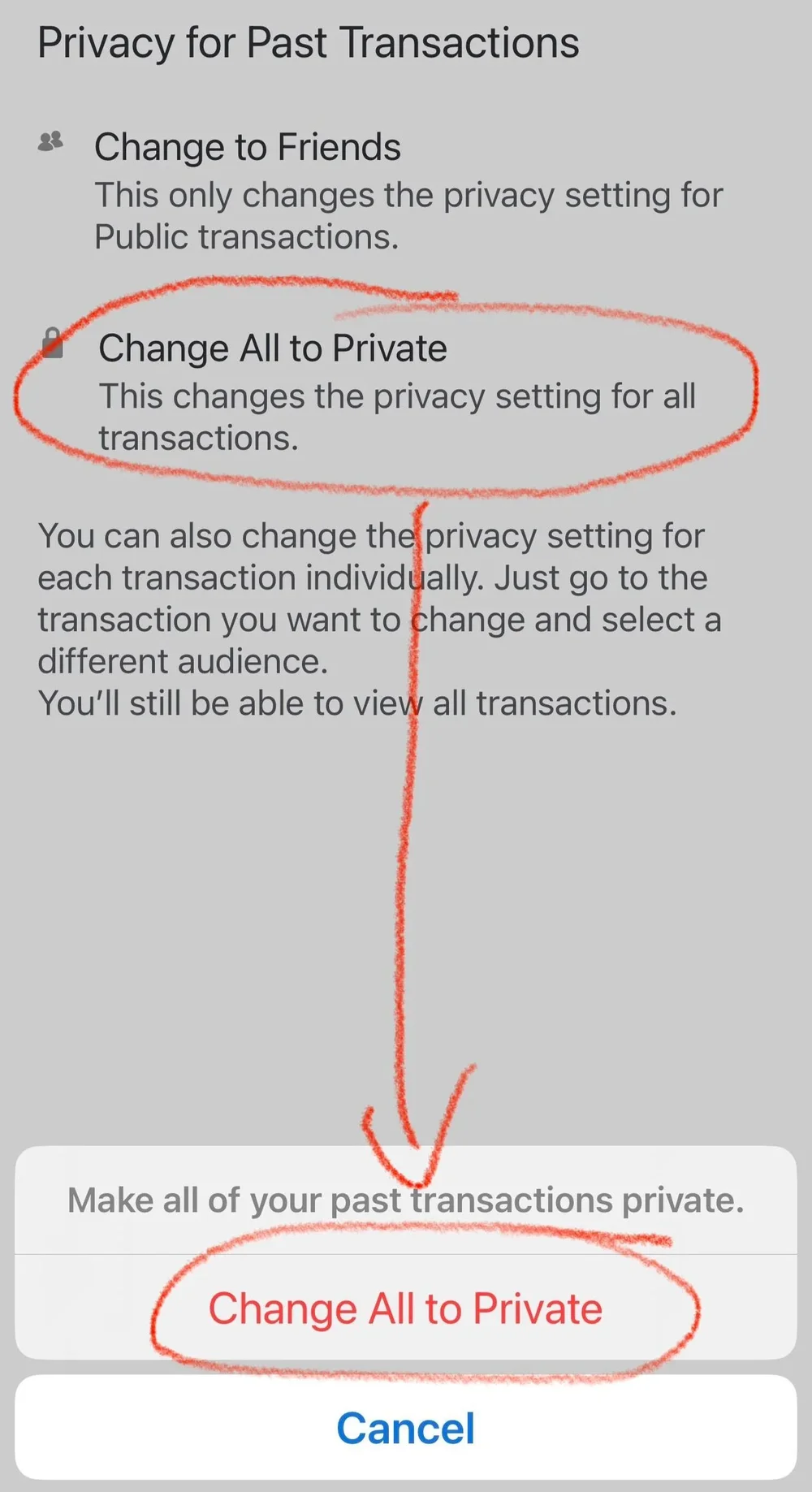
Double-Check Your Feed
To confirm your changes:
-
Tap the “Me” tab in the app
-
Scroll through your transactions
-
Ensure none of your past payments show up with public visibility
Share This With Friends and Family
Next time you see a friend publicly paying someone for something questionable, let them know their Venmo is wide open.
Better yet, send them this article.
Venmo doesn’t make this obvious, and most people have no idea their history is on display. A 30-second privacy fix can go a long way.
About the Author