 |
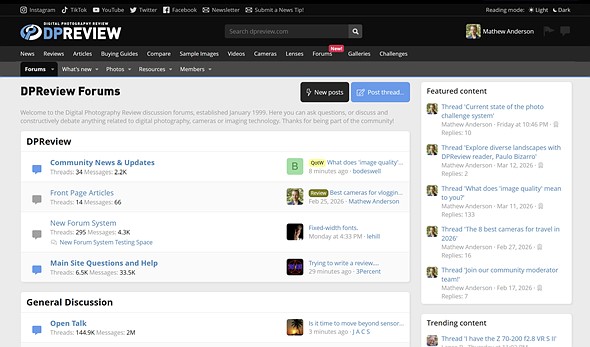
| The DPReview forums received an updated user interface in October. Since then, we’ve been working on tweaks and improvements based on your feedback. |
Since the launch of a major forum upgrade late last year, we’ve been making tweaks and changes here and there as you’ve reported issues and suggested features.
Today, we’ve rolled out a major package of improvements specific to the forums, including visual enhancements, new direct message features, an improved search algorithm and more. Check out the notes below and let us know if you have any questions.
Style and Visibility
- Added an option in your profile to remove avatars showing up on the left sidebar on certain pages, especially when viewing the forums on a mobile device.
- On mobile devices, several UI elements were removed to prevent overcrowding. This includes limiting which EXIF data appears for an image. (This adjustment was made to prevent EXIF data from covering up too much of the image.)
- Increased contrast between Unread vs Read alerts and direct message notifications, both in the dropdown and within the landing pages (additional work on this soon).
Direct Messages (aka Conversations)
- Sticky (aka ‘pin’) a conversation at the top of your conversation list.
- Hosts (‘OP’ of a conversation) can now remove participants from a conversation.
- Improved view of who’s in a conversation.
- View who has left a conversation.
- Delete a conversation with the ability to rejoin later if there are still users within it.
- Auto-respond to new messages, such as sending a notice while on vacation.
- Added a Labels function for admins and moderators to establish universal categories for your conversations.
- Select multiple conversations to sticky or take other actions as offered.
- Set an “on vacation” type auto-response to new messages received.
Alerts/Notifications
- Unread alerts are sorted to the top of the drop-down menu.
- Per-alert ‘mark read’ links on each alert.
- Multi-select ability to mark alerts as read or unread.
- Option to prevent marking messages as read when accessing the alerts pop-up.
- Option to prevent summarization when accessing /accounts/alerts page.
- Option to adjust summarization threshold
- Only mark alerts that are viewed on alert page/alert pop-up, not all alerts
- Per-alert ‘alert bell reads’ configuration
- Direct message alerts now have a hover preview of the message contents
Forum Search
- Added option to search by user for threads they start (not posts within a thread)
- Thread pagination now shows under the original thread start as well as at the end for most thread types (except the general, which we’re working on implementing).
- Keeps the original thread starter post at the top
- Allow users to select the default search order independent of the forum-wide setting
- Re-adds the global option for the default search type
- Display search terms on the search results page
- Add “Search only X” search criteria, where X is thread/conversation/ticket/etc. instead of searching thread/post etc.
- Option to extend search syntax to permit;
- + signifies AND operation
- | signifies OR operation
- – negates a single token
- ” wraps a number of tokens to signify a phrase for searching
- * at the end of a term signifies a prefix query
- ( and ) signify precedence
- ~N after a word signifies edit distance (fuzziness)
- ~N after a phrase signifies slop amount
- In order to search for any of these special characters, they will need to be escaped with \.
Other Improvements
 |
| A new ‘Reply’ button was added to the post interface to make responding to posts more efficient. |
- Added a ‘Reply’ button to each post in a thread (next to the ‘Quote Reply’ button) to offer another way to quickly access the reply editor.
- Removed ‘Public Profile Posts’ profile menu option (It was not being used, and could be confused for private message use. Possible new use for it someday.)
Let us know if you experience any issues with these changes, or have any questions.
Related, we are still working on removing the dropdown Read references, so you only see Unread notifications come up in this space. Similar contrast and other readability improvements are still on the list to adjust as well. And we are hoping to make adjustments to main website areas that link to or use the forums in various ways. This includes resolving page errors associated with user review creation and similar product page links.
Visit the forum announcement to discuss these changes with our community.
About the Author