 |
| Image: DxO |
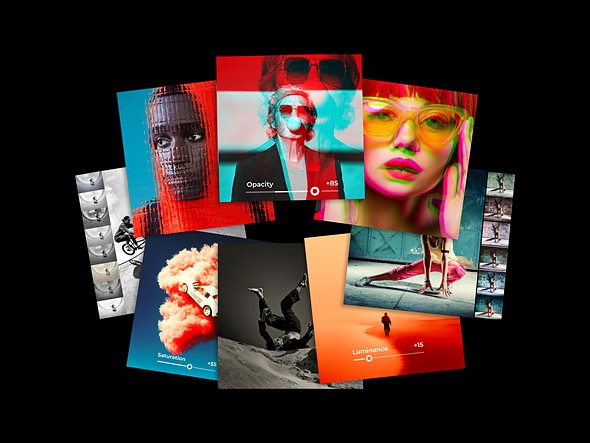
Software company DxO has announced the ninth iteration of Nik Collection, its suite of seven creative editing plugins. Nik Collection 9 introduces updated masking tools and new filters for photographers looking to add creative finishing touches to their images.
The most notable update is the addition of more advanced masking tools via the Local Adjustments toolbar. In Nik Collection 8, DxO added the ability to import Photoshop’s AI-powered selections (such as Select Subject), but otherwise, selection tools remained rather simple and required direct user input. Now, the company has added AI-powered masking to Nik Collection apps, no Photoshop or manual selections required.
 |
|
One of the newly added masking tools promises to select parts of a scene based on how far they were from the camera. Image: DxO |
The updated AI masks come in two different forms. First, users can select subjects and objects, just like they can in Photoshop. There’s also the new Depth Mask option, which uses AI to create a depth map, allowing users to make adjustments to specific areas based on the distance from the camera. Because it’s AI-powered, it works without embedded distance data from the camera.
Both types of masking rely on local processing, so images stay on the user’s computer. They can be fully adjusted and fine-tuned as needed. To aid with that, DxO added new Mask Overlays that make it easier to see where a mask is. Masks can also be copied and pasted from one filter to another, saving time from having to reselect that same area for a different adjustment.
 |
 |
| Halation filter | Blending Modes |
 |
 |
| Glass Effect | Chromatic Shift |
Nik Collection 9 also features three new filters. The Chromatic Shift option recreates the look of ink misalignment from magazine days, with full control over the direction and level of shift and the colors shifted. The Glass Effect filter makes it look like your subject is behind a sheet of textured glass, and the Halation filter aims to replicate the look of the glowing highlights characteristic of certain film stocks.
DxO is also giving users more control over how those filters interact with the image. It has added 18 different blending modes to Color Efex and Analog Efex, which will be a familiar option to Photoshop users. There’s also a new Preset Hover Preview option, providing instant, real-time previews of presets without clicking back and forth between the options.
 |
|
A new Color Grading menu aims to make it easier to adjust the colors in a photo. Image DxO |
Lastly, there is now a color grading menu, which keeps all color controls in a single color wheel. Users can select three points for highlights, shadows and midtones, adjusting the color of each area. Additionally, a slider below the color wheel shows the color grade from shadows to highlights and allows users to shift all tones at once.
DxO’s Nik Collection 9 is available for download now. It costs $180 for a new perpetual license, or $100 for those upgrading from Nik Collection 7 or 8.
About the Author